




Download Sources
Device Configuration
Split APKs Installation Guide
Some apps are distributed as Split APKs (multiple .apk files packaged together) to optimize resources. Standard Android installers cannot open them.
What's New
We've added a few updates to make the Speedtest app even better. Please give us a star rating or write us a review to let us know what you think.
Downdetector Favorites Update: New accounts can now save up to 5 favorites. Existing users? Don't worry, your current favorites are grandfathered in!
Better Browsing: We’ve optimized the layout below your speed test to show you the most relevant info first.
Bug Fixes
Thanks and happy testing!
About this app
The Speedtest® app now features Downdetector® to help you plan, assess, and troubleshoot your internet connection for seamless connectivity in one location. Make the Speedtest app your first stop when connecting and staying connected.
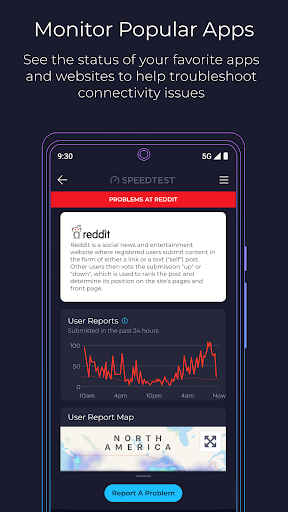
With 55 billion tests and counting, our speed test is the go-to solution to wifi testing, cell measurement, and internet performance analysis Speedtest around the world. Now we feature Downdetector in the app so you can see real-time status updates on your favorite online apps and services. Use it to track your favorite services and report problems to stay informed.
The Speedtest tab checks your network status in an instance and you can run our classic speed test for an accurate, one-tap assessment of your speed and bandwidth that you can use anywhere, thanks to our global server network. Test your download and upload speeds as well as three measures of latency to check a slow connection or use the app to make sure your network is ready for a gaming session.
Use real-world data to find out where mobile network coverage is strong and weak for providers in your area with the Speedtest Maps tab. You can even see where 5G is available and compare that to a map of which technology type is most common where you are.
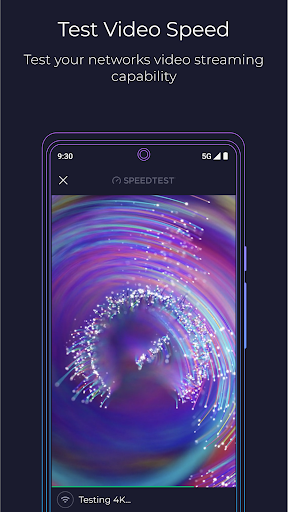
Plan ahead to stream your favorite shows with the Speedtest video test. We show you the quality of your network's current streaming capability and offer actionable insights for optimizing your online video experience.
Key features:
The most accurate internet speed test, from the name you trust
Real-time monitoring of apps and services with Downdetector
Track your favorite services for instant access to status updates for disruptions
Mobile carrier coverage maps based on real-world data
Video testing for network streaming quality
A detailed history of past test results and easy result sharing
Go ad free! If you’d like to enjoy Speedtest without ads, we provide the option of removing ads.
Millions of people trust Speedtest for internet speed testing every day. Download the Speedtest app to join them in staying connected and informed with Speedtest + Downdetector.
Privacy Policy: https://www.speedtest.net/about/privacy
Terms of Use: https://www.speedtest.net/about/terms
Do not sell my info: https://www.speedtest.net/about/ccpa
User Reviews

Changed from 5 stars to 2. Now with pop up ads, it falls far behind the free competition. "All new design and user experience" translates to "Now with far more aggressive monetization!" You can pay for no ads, which is great, but there are plenty of alternatives that don't require this. I am all for paying to remove ads in most cases, but the fact that this is such a simple app with so many alternatives means it's just not worth it.

I've been using Speedtest for several years now , among others out there , and have made quite a few comparisons and I've found it to be the most reliable and accurate Wifi testing app out. I've always only used the free version from the PlayStore and never paid a dime and have had zero issues with it. Check it out, I've even seen installation techs using it, in fact that's how I found out about it. Good work , Guys. 👍
It has ads but they have to get money somehow and either way, they dont really bother or get in the way of the speed test. I have been using this app for years now measuring my speeds and it has the availability of different servers in different locations. It's really not bad, I trust this app more than open signal and any other 3rd party speed test. The UI is pretty sleek too.
Was a functionally great app, but with the latest version, it started running in the background. I can't imagine any good reason why an app that I use only periodically has a need to run 24/7/365, but I can think of a number of bad reasons. I found another simple speed test that's free, with more functionality and has the added benefit of not needing services constantly running in the background.
How to Download Speedtest by Ookla APK
- Enter the package name
org.zwanoo.android.speedteston the APK Downloader. - Select your device architecture (ARM64 recommended for modern devices).
- Click Download to get the merged APK file.
- Transfer and install the APK on your Android device.
- Keep Updated: Visit APKDER.COM regularly to search for and download the latest secure versions of your favorite apps.
Security & Signature Verification
This APK download is 100% safe. We verify that the cryptographic signature of the file matches the official developer credentials. No modifications or adware are injected.


