
Photo Translator All Languages APK Screenshots


Photo Translator All Languages App Information
Download Sources
Device Configuration
Split APKs Installation Guide
Some apps are distributed as Split APKs (multiple .apk files packaged together) to optimize resources. Standard Android installers cannot open them.
What's New in Photo Translator All Languages
✔️ Handwriting recognition is now supported.
✔️ Improved OCR technology for accurate text recognition.
✔️ Text-to-speech functionality added.
✔️ Customizable user interface for easy usage.
✔️ The offline translation is now available.
✔️ Performance enhancements for faster translation.
About Photo Translator All Languages
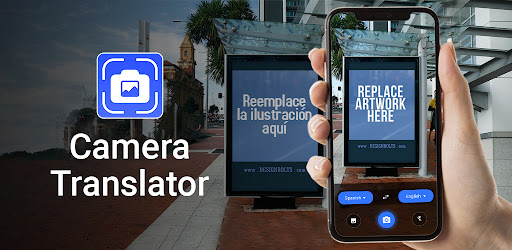
Photo Translator helps you translate text from photos on Android devices. Our app auto-detects and translates text into 90+ languages. Use its translator camera to click photos or import them from the gallery. Our advanced OCR translator ensures precise text recognition and converts photo text instantly. Explore the history of photo-to-text translation, copy text from images, and share it with ease. Get the Photo Translator - Camera Translator App and translate photos with an intuitive interface.
Key Features of Photo Translation App:
• Simple and powerful photo translate app.
• Translate pictures with a built-in text scanner.
• Advanced OCR Camera translator.
• Photo translations in 90+ languages.
• Translate photos and copy text easily.
• Listen to the text translations.
• Mark your translations as favorites.
• Light and dark themes.
• Translate all pictures and translate text.
• History of photo-to-text translations.
• Share text or translation images with others.
Multiple Language Support:
Translate photos with multi-language support and learn languages at your fingertips. With a picture translator, you can travel abroad with confidence, providing fast photo text translations.
Automatic Text Recognition:
Photo Translator all languages can recognize text automatically, ensuring smooth translations. No matter if you are a visitor, student, or professional, our photo translation app meets your needs.
OCR Camera Translator:
Translating text in photos is easier with our advanced camera translator. Simply take a picture and translate all with a photo translator app. You can also translate text from documents or books with ease.
History and Favorites:
Easily access photo translation history and mark them as favorites. It is a useful translation companion to keep a detailed record of all your translations for future use.
Copy & Share Translations:
Copy text from images and share it with Photo Translator All Languages. You can also share translation images for better communication, enhancing your overall experience.
Easy to use:
Translate photos like never before with a simple interface. Picture Translator - Photo Translator app is designed with user convenience in mind, allowing everyone to translate photo text quickly and conveniently.
Discover the convenience of Photo Translator All Languages and bring efficiency in translations. Download the app and translate pictures with just a tap. If you have any ideas or suggestions, reach out to us at [email protected].
User Reviews

The name of the language itself was listed as Javanese. Instead of Japanese and it only "translate" the numbers and none of the text. This app is useless.

Oooooh, we love clickbait. Yeah, definitely nowhere close to all languages, doesn't even have a Japanese option, and as someone who is semi-fluent in French, their French option is subpar. It knows some of the basics, but Lord forbid you ask it to translate "fridge" into English from French. It said "watermelon." How do you confuse "fridge" with "watermelon"?

it's very simple I can use it durning my travels and enjoy all languages with fast and accurate translate .

such a coincidence with this translation application .. I have no idea it's translate many language means all counties language translate into one click amazing .
How to Download Photo Translator All Languages APK
- Enter the package name
photo.translator.camera.translator.ocr.translateallon the APK Downloader. - Select your device architecture (ARM64 recommended for modern devices).
- Click Download to get the merged APK file.
- Transfer and install the APK on your Android device.
- Keep Updated: Visit APKDER.COM regularly to search for and download the latest secure versions of your favorite apps.
Frequently Asked Questions
Yes! Every APK download provided by APKDER undergoes rigorous security verification. We verify that the cryptographic signature of the APK file matches the official signature from the developer, ensuring the APK is original, untouched, and free from any modifications.
To install it, you first need to enable "Unknown Sources" in your Android device's security settings. After downloading the APK file from APKDER, tap it to begin the installation and follow the on-screen prompts.
Yes! As soon as the developer releases a new version of Photo Translator All Languages, we will update and provide the updated APK on APKDER. You can simply download and install the new APK over the existing installation without losing your app data.
Yes. APKDER allows you to bypass geographic restrictions and download official APK files directly, even if the app or game is not officially available in your country's store.
A standard APK is a single installation package. An XAPK or Split APK contains multiple resource files (like OBB expansions or device-specific layout parts) packaged together. To install them, you can download splits individually or use dynamic helper tools like Split APKs Installer (SAI).
Security & Signature Verification
This APK download is 100% safe. We verify that the cryptographic signature of the file matches the official developer credentials. No modifications or adware are injected.


