

Moscow transport APK Screenshots


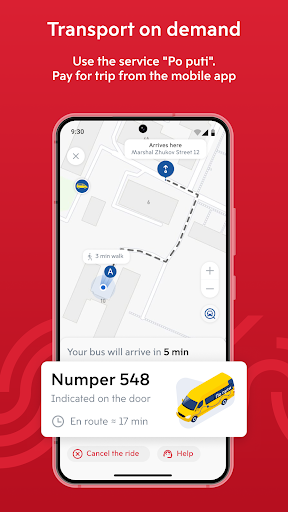


Moscow transport App Information
Download Sources
Device Configuration
Old Versions of Moscow transport
| Version | Size | Min OS | Architecture | Release Date | Action |
|---|---|---|---|---|---|
| v6.8 | 60.1 MB | Android 21+ | x86 x86-64 armeabi-v7a arm64-v8a mips | Dec 11, 2021 | Download |
Split APKs Installation Guide
Some apps are distributed as Split APKs (multiple .apk files packaged together) to optimize resources. Standard Android installers cannot open them.
About Moscow transport
Application for comfortable and fast trips around Moscow.
Find convenient routes
Moscow Transport takes into account all types of transport. The application selects the most convenient and fastest route. It shows the approximate travel time, cost of the trip and number of transfers. Moreover, it even helps you not to miss your stop.
Track the city transport
There is no need to stand at the bus stop waiting for the bus. The application shows all city transport and its schedule in real time, as well as changes in traffic patterns.
Save time and pay for services
Directly at Moscow Transport, you can order a taxi, find the nearest bike rental station, rent a scooter or car, buy a ticket for a river transport, commuter trains and Aeroexpress. Besides, the app allows you to top up your Troika transport card on the way to the stop.
Explore the city and socialize
Enjoy your time. The application marks interesting places and city events on the map. Listen to excursions during a river trip, and read descriptions of sights in the application while walking.
About data usage
We use information about your location to find better routes for you and show you an up-to-date discussion feed. We use personal data in accordance with Federal Law 152-FZ. The privacy policy can be found on the website:
https://api.mosgorpass.ru/v8.2/offers/mt_policy/html
User Reviews

Absolutely horrible, disgraceful and messed up! Route results in a P U B L I C! T R A N S P O R T! app show: 1. Car 2. Car sharing options 3. Electric Scooters ...somewhere along the line – public bus, but! As you are looking at that option, there is NO WAY to see the route on the map, the necessary bus stops, nothing! I do not know what the developers of this app must be on. Not recommended!!!

You have to give your live location just to use the app. Literally unusable, even if you plug in a previous station name. Buses come and go without appearing on the map. You can't use it for trip planning, it keeps telling you to use a taxi between stations you literally clicked on and that have buses running between them. Did it occur to literally anyone that saved stations should be reusable? It's just kinda sad how bad quality it is.

Doesn't work. Can't check your Troika card balance, doesn't open menu to look at Subway map.

It's kinda convenient app for using shuttle bus. But I must login every time at the most confusing moments. For instance when you're at the bus, and there's a line behind you, the app decides to kick you out instead of showing the ticket. And that's where the struggle begins. Why can't it keep me logged in?
How to Download Moscow transport APK
- Enter the package name
ru.mosgorpasson the APK Downloader. - Select your device architecture (ARM64 recommended for modern devices).
- Click Download to get the merged APK file.
- Transfer and install the APK on your Android device.
- Keep Updated: Visit APKDER.COM regularly to search for and download the latest secure versions of your favorite apps.
Frequently Asked Questions
Yes! Every APK download provided by APKDER undergoes rigorous security verification. We verify that the cryptographic signature of the APK file matches the official signature from the developer, ensuring the APK is original, untouched, and free from any modifications.
To install it, you first need to enable "Unknown Sources" in your Android device's security settings. After downloading the APK file from APKDER, tap it to begin the installation and follow the on-screen prompts.
Yes! As soon as the developer releases a new version of Moscow transport, we will update and provide the updated APK on APKDER. You can simply download and install the new APK over the existing installation without losing your app data.
Yes. APKDER allows you to bypass geographic restrictions and download official APK files directly, even if the app or game is not officially available in your country's store.
A standard APK is a single installation package. An XAPK or Split APK contains multiple resource files (like OBB expansions or device-specific layout parts) packaged together. To install them, you can download splits individually or use dynamic helper tools like Split APKs Installer (SAI).
Security & Signature Verification
This APK download is 100% safe. We verify that the cryptographic signature of the file matches the official developer credentials. No modifications or adware are injected.

