
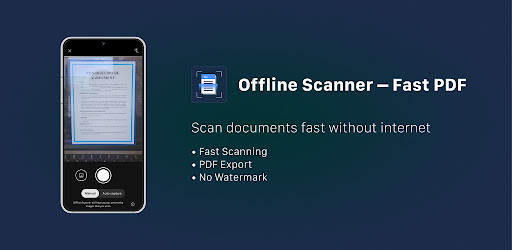
Offline Scanner – Fast PDF APK Screenshots


Offline Scanner – Fast PDF App Information
Download Sources
Device Configuration
Split APKs Installation Guide
Some apps are distributed as Split APKs (multiple .apk files packaged together) to optimize resources. Standard Android installers cannot open them.
What's New in Offline Scanner – Fast PDF
- Scan documents quickly with your camera
- Import images from gallery
- Auto edge detection and smart crop
- Export scans as PDF or JPG
- Works fully offline
- Fast and minimal interface
- No account required
- Your files stay on your device
About Offline Scanner – Fast PDF
Offline Scanner – Fast PDF is a fast and privacy-focused document scanner for Android.
Scan documents, notes, receipts, invoices, IDs, contracts, and book pages directly from your phone. Everything works offline without requiring an account or cloud upload.
Your files stay on your device.
Main Features
• Fast document scanning
Capture documents quickly with smart edge detection and automatic crop.
• Offline PDF scanner
Use all core features without internet access.
• PDF and JPG export
Save scans as PDF files or high-quality JPG images.
• Multiple filters
Enhance scans using color, grayscale, black & white, and clean document filters.
• Multi-page PDF support
Combine multiple scans into one PDF document.
• Simple and clean interface
Minimal UI designed for speed and daily use.
• Document management
Rename, sort, search, and organize scanned files easily.
• Share anywhere
Send documents through email, messaging apps, or storage apps.
Built for Daily Use
Offline Scanner – Fast PDF is useful for:
• Students scanning notes and assignments
• Office work and contracts
• Receipts and invoices
• IDs and personal documents
• Homework and book pages
• Small business paperwork
Why Users Choose Offline Scanner
• Works completely offline
• No account required
• No cloud dependency
• Fast performance
• Lightweight app size
• High-quality scans
• Privacy-focused experience
Export Options
• PDF export
• JPG export
• Multi-page documents
• High-resolution scans
Privacy First
Your documents are processed locally on your device. No forced upload. No unnecessary permissions.
Install Offline Scanner – Fast PDF and turn your phone into a fast offline scanner with PDF and OCR support.
User Reviews

Actually Good, but Notifications need not to be permanent ( you can dismiss them when you click on them, but they just need to be easily dismissed by a swipe instead without having to enter the app).

At least now i have a simple but good and reliable app thanks to the developers. ALHAMDULILLAH.

The isha and maghrib times for kumasi is same kindly rectify that please

Fantastic
How to Download Offline Scanner – Fast PDF APK
- Enter the package name
sj.adhan.appon the APK Downloader. - Select your device architecture (ARM64 recommended for modern devices).
- Click Download to get the merged APK file.
- Transfer and install the APK on your Android device.
- Keep Updated: Visit APKDER.COM regularly to search for and download the latest secure versions of your favorite apps.
Frequently Asked Questions
Yes! Every APK download provided by APKDER undergoes rigorous security verification. We verify that the cryptographic signature of the APK file matches the official signature from the developer, ensuring the APK is original, untouched, and free from any modifications.
To install it, you first need to enable "Unknown Sources" in your Android device's security settings. After downloading the APK file from APKDER, tap it to begin the installation and follow the on-screen prompts.
Yes! As soon as the developer releases a new version of Offline Scanner – Fast PDF, we will update and provide the updated APK on APKDER. You can simply download and install the new APK over the existing installation without losing your app data.
Yes. APKDER allows you to bypass geographic restrictions and download official APK files directly, even if the app or game is not officially available in your country's store.
A standard APK is a single installation package. An XAPK or Split APK contains multiple resource files (like OBB expansions or device-specific layout parts) packaged together. To install them, you can download splits individually or use dynamic helper tools like Split APKs Installer (SAI).
Security & Signature Verification
This APK download is 100% safe. We verify that the cryptographic signature of the file matches the official developer credentials. No modifications or adware are injected.


