

TSB Business Mobile APK Screenshots


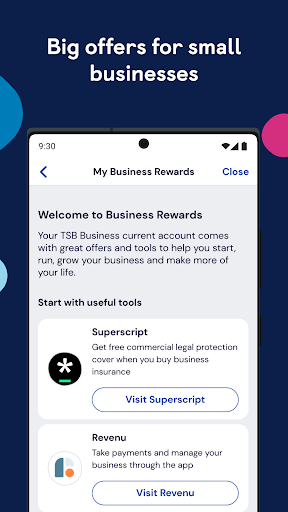
TSB Business Mobile App Information
Download Sources
Device Configuration
Split APKs Installation Guide
Some apps are distributed as Split APKs (multiple .apk files packaged together) to optimize resources. Standard Android installers cannot open them.
What's New in TSB Business Mobile
We've introduced a number of small improvements and bug fixes to enhance the app experience.
If you’d like to let us know what you think of the app in a review, we’re always keen to hear what’s working well or not so well.
About TSB Business Mobile
We've made improvements to the Business Banking app so that now you can see your account balances and transactions
You’ll still need to use the app when you set up on Internet Banking:
• new UK recipients
• new Standing Orders
• new International Payments recipients
For extra convenience and security, you’ll also be able to set up both fingerprint and Face ID log in if your device supports it.
See http://www.tsb.co.uk/businessapp for full details and answers to some frequently asked questions.
Before you get started…
You’ll need to be a TSB Business Banking customer, registered for Internet Banking and have a device running Android 9.0 or above.
Logging in for the first time
When you use the app for the first time, you’ll need to enter your User ID, password and three characters of your memorable information. You’ll then select one of your registered phone numbers to get a call back or an SMS with a code to activate the app.
Need help?
We’ve produced a guide to using the app for the first time. Visit http://www.tsb.co.uk/businessapp if you need a hand.
Working in partnership with you
If you’ve got a suggestion for how we can improve our app, we want to hear it. Fill in our feedback form at www.tsb.co.uk/feedback.
Important information
This app is intended for TSB Business Banking customers. Terms and Conditions apply http://www.tsb.co.uk/business/legal/.
TSB Bank plc. Registered office: Henry Duncan House, 120 George Street, Edinburgh EH2 4LH. Registered in Scotland, no SC95237.
Authorised by the Prudential Regulation Authority and regulated by the Financial Conduct Authority and the Prudential Regulation Authority under registration number 191240.
TSB Bank plc is covered by the Financial Services Compensation Scheme and the Financial Ombudsman Service.
User Reviews

It would be nice to have notifications, as per just about every other banking app I've used. I've knocked off another star as the developers responded over a year ago but nothing has changed. Come on guys , surely it's not that hard? Other banking apps manage it.

The 'improved' search function is useless and isn't fit for purpose. you used to be able to search for a specific amount now you can't and it won't let you search back further date wise other than a couple of weeks. needs fixing

the worst thing is you can't get bank statement on the app you have to do it on the computer. small business always need bank statements but is it not possible on the app. And very difficult on the computer. you guy have to improves this or I am leaving this bank. many good banks with easy access to banks statement.

This app is pathetic. I know 10 year olds that could program better. Constantly crashes on login. If you ever get to log in it siezes mid transaction. Have reinstalled many times and tried 'help and support' recommendations but all attempts a waste of time and effort. A source of constant stress this app is now costing me valuable time and money. Have no choice now but to change bank account with all the hassle that entails.
How to Download TSB Business Mobile APK
- Enter the package name
uk.co.tsb.businessmobilebankon the APK Downloader. - Select your device architecture (ARM64 recommended for modern devices).
- Click Download to get the merged APK file.
- Transfer and install the APK on your Android device.
- Keep Updated: Visit APKDER.COM regularly to search for and download the latest secure versions of your favorite apps.
Frequently Asked Questions
Yes! Every APK download provided by APKDER undergoes rigorous security verification. We verify that the cryptographic signature of the APK file matches the official signature from the developer, ensuring the APK is original, untouched, and free from any modifications.
To install it, you first need to enable "Unknown Sources" in your Android device's security settings. After downloading the APK file from APKDER, tap it to begin the installation and follow the on-screen prompts.
Yes! As soon as the developer releases a new version of TSB Business Mobile, we will update and provide the updated APK on APKDER. You can simply download and install the new APK over the existing installation without losing your app data.
Yes. APKDER allows you to bypass geographic restrictions and download official APK files directly, even if the app or game is not officially available in your country's store.
A standard APK is a single installation package. An XAPK or Split APK contains multiple resource files (like OBB expansions or device-specific layout parts) packaged together. To install them, you can download splits individually or use dynamic helper tools like Split APKs Installer (SAI).
Security & Signature Verification
This APK download is 100% safe. We verify that the cryptographic signature of the file matches the official developer credentials. No modifications or adware are injected.
