لقطات شاشة APK لـ Cast to TV & Screen Mirroring


معلومات التطبيق Cast to TV & Screen Mirroring
مصادر التحميل
Device Configuration
الإصدارات القديمة من Cast to TV & Screen Mirroring
| Version | Size | Min OS | Architecture | Release Date | Action |
|---|---|---|---|---|---|
| v14.6.2 | Varies | Android 5.0+ | universal | Jul 20, 2026 | Download |
دليل تثبيت حزم APK المجزأة (Split APKs)
يتم توزيع بعض التطبيقات كحزم APK مجزأة (ملفات .apk متعددة معاً) لتحسين الموارد. ولا يمكن لمثبت أندرويد القياسي فتحها.
ما الجديد في Cast to TV & Screen Mirroring
- Cast for Chromecast
- Screen Mirroring
- Cast All TV
- Cast to SamSungTV
- Remote RokuTV
حول Cast to TV & Screen Mirroring
Ever wished your phone screen could instantly appear on your TV?
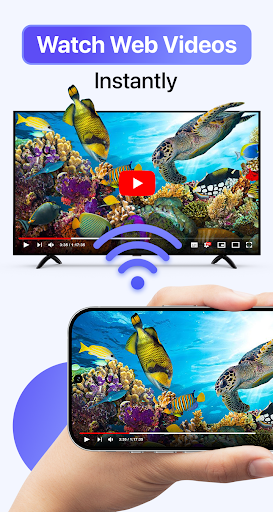
Cast to TV & Screen Mirroring lets you easily mirror your phone screen to TV and stream videos, photos, music, apps, and games wirelessly. Whether you’re watching movies, sharing memories, or presenting your work, turning your phone into a big-screen experience has never been easier.
With fast and stable screen mirroring, you can connect your phone to TV without cables or extra hardware. Cast to TV & Screen Mirroring is designed to deliver smooth performance, low latency, and clear display quality on most smart TVs.
🌟 Enjoy Everything from Your Phone on TV:
- Mirror your phone screen to TV in real time.
- Stream videos, photos, music, and apps to a larger display.
- Share games, presentations, and documents instantly.
- Control playback, volume, and navigation directly from your phone.
- Experience wireless screen sharing with minimal delay.
Whether at home or at work, phone to TV mirroring makes content sharing simple and intuitive.
📺 Works with Most Smart TVs & Streaming Devices:
Chromecast.
Roku TV.
Amazon Fire TV / Fire Stick.
Xbox.
Samsung.
LG.
Sony.
Hisense.
Panasonic.
TCL and other smart TVs.
AirPlay TV and DLNA-supported devices.
The app automatically detects nearby TVs on the same Wi-Fi network, ensuring a quick and secure connection every time.
🚀 Easy Setup – Start in 3 Simple Steps:
Step 01: Connect your phone and TV to the same Wi-Fi network.
Step 02: Open Cast to TV & Screen Mirroring.
Step 03: Select your TV to start mirroring or streaming.
No cables, no complicated settings — just instant phone to TV sharing.
💡 Why Choose Cast to TV & Screen Mirroring?
- Fast and stable wireless screen mirroring.
- Smooth performance for videos, games, and apps.
- No additional devices or setup required.
- Optimized for most smart TV brands and streaming platforms.
- Ideal for entertainment, sharing, and professional presentations.
Turn your phone into a powerful entertainment hub and enjoy everything on a bigger screen, anytime you want.
⚠️ DISCLAIMER:
This app is not affiliated with Google Chromecast, Roku, Amazon Fire TV, Samsung, LG, Sony, Hisense, Panasonic, TCL, AirPlay, or any other mentioned brands.
آراء المستخدمين

يحتاج دفع اشتراك انه غير مجاني

تشكرات امتياز الوقت يحسن الإبداع بالتبارك

تطبيق سئ جدا بالدفع و اعلانات كثيير

برنامج سي ومخادع ويطلب مبلغ مالي يتجاوز ١٠٠ ريال وليس مجامني كما يدعي ويطلب نقود من أول مره انصح بعدم تحميله و احتيال ونصب
كيفية تنزيل APK Cast to TV & Screen Mirroring
- أدخل اسم الحزمة
com.casttotv.screenmirroring.smarttv.castvideoفي APK Downloader. - حدد بنية جهازك (يوصى بـ ARM64 للأجهزة الحديثة).
- انقر فوق تنزيل للحصول على ملف APK المدمج.
- قم بنقل وتثبيت APK على جهاز Android الخاص بك.
- ابقَ على اطلاع: قم بزيارة APKDER.COM بانتظام للبحث عن أحدث الإصدارات الآمنة من تطبيقاتك المفضلة وتنزيلها.
الأسئلة الشائعة
نعم! يخضع كل تنزيل ملف APK يقدمه موقع APKDER لتحقق أمني صارم. نتحقق من أن التوقيع التشفيري لملف APK يطابق التوقيع الرسمي من المطور، مما يضمن أن ملف APK أصل ولم يتم التلاعب به وخالٍ من أي تعديلات.
لتثبيته، ستحتاج أولاً إلى تمكين "مصادر غير معروفة" في إعدادات أمان جهاز Android الخاص بك. بعد تنزيل ملف APK من APKDER، اضغط عليه لبدء التثبيت واتبع المطالبات التي تظهر على الشاشة.
نعم! بمجرد أن يصدر المطور إصدارًا جديدًا من Cast to TV & Screen Mirroring، سنقوم بتحديث الـ APK ونشره على APKDER. يمكنك ببساطة تنزيل وتثبيت الـ APK الجديد فوق التثبيت الحالي دون فقدان بيانات تطبيقك.
نعم. يتيح لك APKDER تجاوز القيود الجغرافية وتنزيل ملفات APK الرسمية مباشرة، حتى لو كان التطبيق أو اللعبة غير متاحين رسميًا في متجر بلدك.
ملف APK القياسي عبارة عن حزمة تثبيت واحدة. بينما يحتوي ملف XAPK أو حزم APK المجزأة (Split APKs) على ملفات موارد متعددة تم حزمها معًا. لتثبيتها، يمكنك تنزيل الأجزاء بشكل فردي أو استخدام أدوات مساعدة مثل Split APKs Installer (SAI).
الأمان والتحقق من التوقيع
تحميل ملف APK هذا آمن بنسبة 100٪. نحن نتحقق من أن التوقيع التشفيري للملف يطابق بيانات المطور الرسمية. لا توجد تعديلات أو إعلانات مدمجة.