

لقطات شاشة APK لـ Infofleet Mobile



معلومات التطبيق Infofleet Mobile
مصادر التحميل
Device Configuration
دليل تثبيت حزم APK المجزأة (Split APKs)
يتم توزيع بعض التطبيقات كحزم APK مجزأة (ملفات .apk متعددة معاً) لتحسين الموارد. ولا يمكن لمثبت أندرويد القياسي فتحها.
ما الجديد في Infofleet Mobile
General Improvements and Fixes
حول Infofleet Mobile
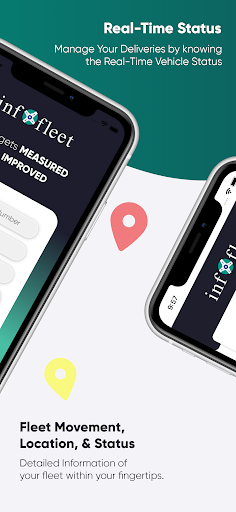
The app allows you to GPS track your vehicles with an easy-to- use interface. You can monitor your vehicles and assets right from your mobile. The Infofleet app is designed and developed by Informap that serves over 1000+ companies in the UAE.
FUNCTIONALITY OF INFOFLEET APP
Dashboard: Shows current operational status of the fleet.
Real time tracking (Map & Table View)
Infofleet gives the option to switch between table view and map view. Table view is better to have a list view of all the vehicles, their operation status and the speed.
Current status of vehicle; There are three modes based on Engine status:
Moving – Engine ON and Speed > 5
Idle – Engine ON and speed < 5
Parking - Engine is OFF
Search by vehicle plate number: You can search by vehicle ID, vehicle make or vehicle model
Search by driver name: Allows searching by driver ID
Vehicle Info: Tap on this to see the Speed, Distance travelled, Location detail of the vehicle
Odometer reading: This gives the snapshot of the odometer
Vehicle & driver details: Tap on the map on the vehicle icon to get the details.
Call drivers directly from app: This is very handy function to call the driver directly
History (Map & Table): You can generate the history for the given period and view it on the map as well as table
History playback: Once you have generated the history, you can use this function to simulate the path taken by the driver.
Alerts: The app gives you the following alert:
Over speed, Excessive Idle, Moonlighting, Registration expiry, Insurance expiry, Oil service expiry, etc..
Generate Reports: Infofleet app allows you to generate the following reports:
Activity report, Daily summary report, Trip report, Cumulative distance report, Asset logbook report, Fuel report. These reports are generated and send to you in the email.
Infofleet app contains functionality that are mostly used. Please log into the web version www.infofleet.com if you would like more detailed reports. For support, please e-mail [email protected].
كيفية تنزيل APK Infofleet Mobile
- أدخل اسم الحزمة
com.noms.infofleetفي APK Downloader. - حدد بنية جهازك (يوصى بـ ARM64 للأجهزة الحديثة).
- انقر فوق تنزيل للحصول على ملف APK المدمج.
- قم بنقل وتثبيت APK على جهاز Android الخاص بك.
- ابقَ على اطلاع: قم بزيارة APKDER.COM بانتظام للبحث عن أحدث الإصدارات الآمنة من تطبيقاتك المفضلة وتنزيلها.
الأسئلة الشائعة
نعم! يخضع كل تنزيل ملف APK يقدمه موقع APKDER لتحقق أمني صارم. نتحقق من أن التوقيع التشفيري لملف APK يطابق التوقيع الرسمي من المطور، مما يضمن أن ملف APK أصل ولم يتم التلاعب به وخالٍ من أي تعديلات.
لتثبيته، ستحتاج أولاً إلى تمكين "مصادر غير معروفة" في إعدادات أمان جهاز Android الخاص بك. بعد تنزيل ملف APK من APKDER، اضغط عليه لبدء التثبيت واتبع المطالبات التي تظهر على الشاشة.
نعم! بمجرد أن يصدر المطور إصدارًا جديدًا من Infofleet Mobile، سنقوم بتحديث الـ APK ونشره على APKDER. يمكنك ببساطة تنزيل وتثبيت الـ APK الجديد فوق التثبيت الحالي دون فقدان بيانات تطبيقك.
نعم. يتيح لك APKDER تجاوز القيود الجغرافية وتنزيل ملفات APK الرسمية مباشرة، حتى لو كان التطبيق أو اللعبة غير متاحين رسميًا في متجر بلدك.
ملف APK القياسي عبارة عن حزمة تثبيت واحدة. بينما يحتوي ملف XAPK أو حزم APK المجزأة (Split APKs) على ملفات موارد متعددة تم حزمها معًا. لتثبيتها، يمكنك تنزيل الأجزاء بشكل فردي أو استخدام أدوات مساعدة مثل Split APKs Installer (SAI).
الأمان والتحقق من التوقيع
تحميل ملف APK هذا آمن بنسبة 100٪. نحن نتحقق من أن التوقيع التشفيري للملف يطابق بيانات المطور الرسمية. لا توجد تعديلات أو إعلانات مدمجة.


