

Capturas de pantalla de Infofleet Mobile APK



Información de la aplicación
Fuentes de descarga
Device Configuration
Guía de instalación de APKs divididas (Split APKs)
Algunas aplicaciones se distribuyen como APKs divididas (varios archivos .apk empaquetados juntos) para optimizar recursos. Los instaladores estándar de Android no pueden abrirlas.
Novedades
General Improvements and Fixes
Acerca de esta aplicación
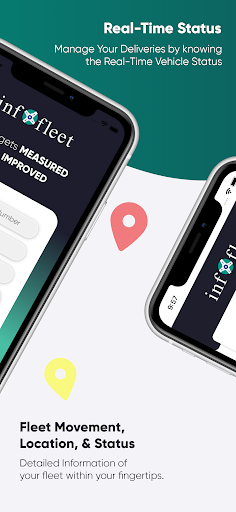
The app allows you to GPS track your vehicles with an easy-to- use interface. You can monitor your vehicles and assets right from your mobile. The Infofleet app is designed and developed by Informap that serves over 1000+ companies in the UAE.
FUNCTIONALITY OF INFOFLEET APP
Dashboard: Shows current operational status of the fleet.
Real time tracking (Map & Table View)
Infofleet gives the option to switch between table view and map view. Table view is better to have a list view of all the vehicles, their operation status and the speed.
Current status of vehicle; There are three modes based on Engine status:
Moving – Engine ON and Speed > 5
Idle – Engine ON and speed < 5
Parking - Engine is OFF
Search by vehicle plate number: You can search by vehicle ID, vehicle make or vehicle model
Search by driver name: Allows searching by driver ID
Vehicle Info: Tap on this to see the Speed, Distance travelled, Location detail of the vehicle
Odometer reading: This gives the snapshot of the odometer
Vehicle & driver details: Tap on the map on the vehicle icon to get the details.
Call drivers directly from app: This is very handy function to call the driver directly
History (Map & Table): You can generate the history for the given period and view it on the map as well as table
History playback: Once you have generated the history, you can use this function to simulate the path taken by the driver.
Alerts: The app gives you the following alert:
Over speed, Excessive Idle, Moonlighting, Registration expiry, Insurance expiry, Oil service expiry, etc..
Generate Reports: Infofleet app allows you to generate the following reports:
Activity report, Daily summary report, Trip report, Cumulative distance report, Asset logbook report, Fuel report. These reports are generated and send to you in the email.
Infofleet app contains functionality that are mostly used. Please log into the web version www.infofleet.com if you would like more detailed reports. For support, please e-mail [email protected].
Cómo descargar Infofleet Mobile APK
- Ingrese el nombre del paquete
com.noms.infofleeten la APK Downloader. - Seleccione la arquitectura de su dispositivo (se recomienda ARM64 para dispositivos modernos).
- Haga clic en Descargar para obtener el archivo APK fusionado.
- Transfiera e instale el APK en su dispositivo Android.
- Manténgase actualizado: Visite APKDER.COM regularmente para buscar y descargar las últimas versiones seguras de sus aplicaciones favoritas.
Preguntas frecuentes
¡Sí! Cada descarga de APK proporcionada por APKDER se somete a una rigurosa verificación de seguridad. Verificamos que la firma criptográfica del archivo APK coincida con la firma oficial del desarrollador, lo que garantiza que el APK sea original, esté intacto y libre de cualquier modificación.
Para instalarlo, primero debe habilitar "Fuentes desconocidas" en la configuración de seguridad de su dispositivo Android. Después de descargar el archivo APK de APKDER, tóquelo para comenzar la instalación y siga las instrucciones en pantalla.
¡Sí! Tan pronto como el desarrollador lance una nueva versión de Infofleet Mobile, obtendremos y publicaremos el APK actualizado en APKDER. Simplemente puede descargar e instalar el new APK sobre el existente sin perder los datos de su aplicación.
Sí. APKDER le permite eludir las restricciones geográficas y descargar archivos APK oficiales directamente, incluso si la aplicación o el juego no está disponible oficialmente en la tienda de su país.
Un APK estándar es un único paquete de instalación. Un XAPK o APK dividido (Split APK) contiene varios archivos de recursos empaquetados juntos. Para instalarlos, puede descargar las partes individualmente o utilizar herramientas como Split APKs Installer (SAI).
Seguridad y Verificación de Firma
Esta descarga de APK es 100% segura. Verificamos que la firma criptográfica del archivo coincida con las credenciales oficiales del desarrollador. No se inyectan modificaciones ni adware.


