
Sources de téléchargement
Device Configuration
Guide d'installation des APKs divisées (Split APKs)
Certaines applications sont distribuées sous forme d'APKs divisées (plusieurs fichiers .apk groupés) pour optimiser les ressources. Les installateurs Android standard ne peuvent pas les ouvrir.
Applications Connexes




Nouveautés
- Widget for quick lock/unlock apps and notifications
À propos de cette application
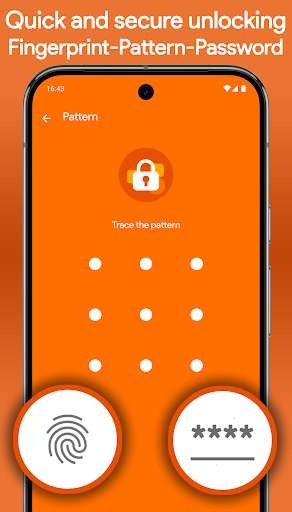
🔒 AppLockr helps you lock apps, protect your privacy, and secure personal data with PIN or fingerprint protection.
Keep your private apps safe, hide sensitive notifications, and automatically capture intruder selfies when someone enters the wrong PIN.
Protect WhatsApp, Telegram, Instagram, Photos, Gallery, and other private apps with powerful app lock protection.
✅ KEY FEATURES:
• Lock apps with secure PIN or fingerprint protection
• Hide notifications from locked apps for complete privacy
• Intruder selfie – Automatically capture photos of anyone trying to unlock your apps with the wrong PIN
• Encrypt private photos, files, and sensitive data with secure AES-256 encryption
• Instantly view intruder selfies when opening the app
• Flexible protection modes – Lock apps, notifications, or both together
• Quick lock and unlock widget for fast access
• Local storage only – No cloud uploads, no third-party sharing
🔐 YOUR PRIVACY COMES FIRST
AppLockr does not track your activity or upload your personal data.
No cloud storage. No tracking. No data sharing. Everything stays securely on your device.
🧩 LIGHTWEIGHT, FAST, AND SIMPLE
Designed for speed and ease of use, AppLockr protects your apps without slowing down your phone or draining your battery.
🚀 GET STARTED NOW
Secure your apps, protect your privacy, and keep your personal data safe with AppLockr.
Comment télécharger l'APK de App Lock & Privacy — AppLockr
- Entrez le nom du paquet
com.applockrsur la page d'accueil d'APK Downloader. - Sélectionnez l'architecture de votre appareil (ARM64 recommandé pour les appareils récents).
- Cliquez sur Télécharger pour obtenir le fichier APK fusionné.
- Transférez et installez l'APK sur votre appareil Android.
- Restez à jour: Visitez régulièrement APK Downloader pour rechercher et télécharger les dernières versions sécurisées de vos applications préférées.
Sécurité et Vérification de Signature
Ce téléchargement APK est 100% sûr. Nous vérifions que la signature cryptographique du fichier correspond aux informations d'identification officielles du développeur. Aucune modification ni adware n'est injecté.