

Captures d'écran de l'APK de Infofleet Mobile

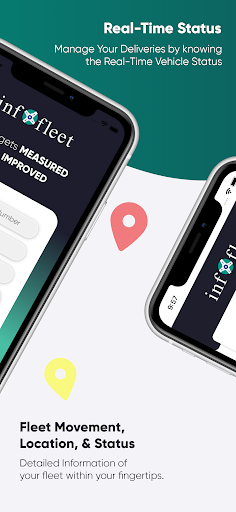


Informations sur l'application Infofleet Mobile
Sources de téléchargement
Device Configuration
Guide d'installation des APKs divisées (Split APKs)
Certaines applications sont distribuées sous forme d'APKs divisées (plusieurs fichiers .apk groupés) pour optimiser les ressources. Les installateurs Android standard ne peuvent pas les ouvrir.
Nouveautés de Infofleet Mobile
General Improvements and Fixes
À propos de Infofleet Mobile
The app allows you to GPS track your vehicles with an easy-to- use interface. You can monitor your vehicles and assets right from your mobile. The Infofleet app is designed and developed by Informap that serves over 1000+ companies in the UAE.
FUNCTIONALITY OF INFOFLEET APP
Dashboard: Shows current operational status of the fleet.
Real time tracking (Map & Table View)
Infofleet gives the option to switch between table view and map view. Table view is better to have a list view of all the vehicles, their operation status and the speed.
Current status of vehicle; There are three modes based on Engine status:
Moving – Engine ON and Speed > 5
Idle – Engine ON and speed < 5
Parking - Engine is OFF
Search by vehicle plate number: You can search by vehicle ID, vehicle make or vehicle model
Search by driver name: Allows searching by driver ID
Vehicle Info: Tap on this to see the Speed, Distance travelled, Location detail of the vehicle
Odometer reading: This gives the snapshot of the odometer
Vehicle & driver details: Tap on the map on the vehicle icon to get the details.
Call drivers directly from app: This is very handy function to call the driver directly
History (Map & Table): You can generate the history for the given period and view it on the map as well as table
History playback: Once you have generated the history, you can use this function to simulate the path taken by the driver.
Alerts: The app gives you the following alert:
Over speed, Excessive Idle, Moonlighting, Registration expiry, Insurance expiry, Oil service expiry, etc..
Generate Reports: Infofleet app allows you to generate the following reports:
Activity report, Daily summary report, Trip report, Cumulative distance report, Asset logbook report, Fuel report. These reports are generated and send to you in the email.
Infofleet app contains functionality that are mostly used. Please log into the web version www.infofleet.com if you would like more detailed reports. For support, please e-mail [email protected].
Comment télécharger l'APK de Infofleet Mobile
- Entrez le nom du paquet
com.noms.infofleetsur APK Downloader. - Sélectionnez l'architecture de votre appareil (ARM64 recommandé pour les appareils récents).
- Cliquez sur Télécharger pour obtenir le fichier APK fusionné.
- Transférez et installez l'APK sur votre appareil Android.
- Restez à jour: Visitez régulièrement APKDER.COM pour rechercher et télécharger les dernières versions sécurisées de vos applications préférées.
Foire aux questions
Oui ! Chaque téléchargement d'APK fourni par APKDER est soumis à une vérification de sécurité rigoureuse. Nous vérifions que la signature cryptographique du fichier APK correspond à la signature officielle du développeur, garantissant ainsi que l'APK est original, intact et exempt de toute modification.
Pour l'installer, vous devez d'abord activer les "Sources inconnues" dans les paramètres de sécurité de votre appareil Android. Après avoir téléchargé le fichier APK depuis APKDER, appuyez dessus pour lancer l'installation et suivez les instructions.
Oui ! Dès que le développeur publie une nouvelle version de Infofleet Mobile, nous mettons à jour l'APK sur APKDER. Vous pouvez simplement télécharger et installer le nouvel APK par-dessus l'ancien sans perdre vos données.
Oui. APKDER vous permet de contourner les restrictions géographiques et de télécharger directement les fichiers APK officiels, même si l'application ou le jeu n'est pas officiellement disponible dans le store de votre pays.
Un APK standard est un paquet d'installation unique. Un XAPK ou un APK divisé (Split APK) contient plusieurs fichiers de ressources (comme les extensions OBB ou des fichiers de mise en page spécifiques) packagés ensemble. Pour les installer, vous pouvez les télécharger individuellement ou utiliser des outils comme Split APKs Installer (SAI).
Sécurité et Vérification de Signature
Ce téléchargement APK est 100% sûr. Nous vérifions que la signature cryptographique du fichier correspond aux informations d'identification officielles du développeur. Aucune modification ni adware n'est injecté.


