


Sources de téléchargement
Device Configuration
Guide d'installation des APKs divisées (Split APKs)
Certaines applications sont distribuées sous forme d'APKs divisées (plusieurs fichiers .apk groupés) pour optimiser les ressources. Les installateurs Android standard ne peuvent pas les ouvrir.
Nouveautés
- Resolved bugs and improved overall performance
À propos de cette application
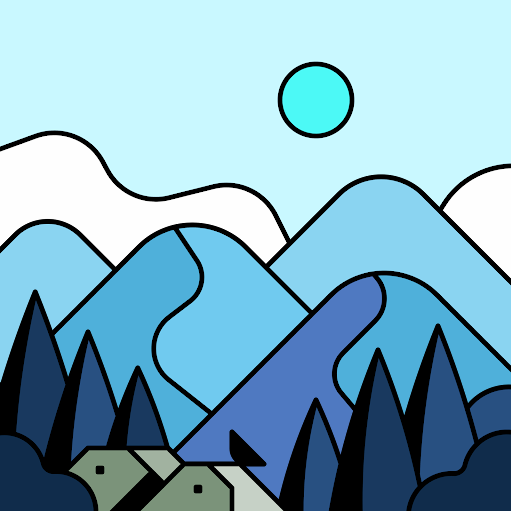
Introducing WallArt: The AI wallpaper app. Experience a world of ever-evolving AI-generated wallpapers, expertly crafted and remastered by designers. Each and every wallpaper is unique in its own way. Get Ready to Give a special look to your device.
WallArt includes over 1800+ wallpapers, each intricately crafted by our state-of-the-art artificial intelligence, ensuring every pixel is a work of art! 🎨 There are 400+ free wallpapers for those who crave the extraordinary, and our premium collection offers over 1400+ exclusive designs that will leave you spellbound! ✨
With daily 2-4 new free wallpapers and a new collection added every week, this app will treat you to a continuous flow of new and exciting wallpapers.
Feature Highlights:
• Daily Wallpaper Updates
Never get bored with your device's background again! We add 2 to 4 free wallpapers daily and a new collection every week, ensuring a constant stream of new and exciting options to choose from. Experience a different masterpiece every day and keep your home screen looking dynamic and inspiring.
• Exclusive & High-Quality Wallpapers
Discover amazing wallpapers exclusive to WallArt that can't be found anywhere else. Each wallpaper is of the highest quality with pixel-perfect details.
• Material You Dashboard
Our app boasts an attractive, modern user interface with Material You designs that are easy to use and visually appealing. Navigating through the app is a breeze, allowing you to effortlessly browse, preview, edit, and set wallpapers with just a tap.
• Diverse Collection
Explore a wide range of collections to find the perfect wallpaper for any mood or occasion. From nature landscapes and abstract designs to vibrant illustrations and minimalistic patterns, AI Wallpapers offer something for everyone. Collections are well arranged, and we continuously add new ones over time.
• Customization Options
Adjust brightness, contrast, and saturation levels to enhance the visuals and make them perfectly match your device's display. Create a personalized look that reflects your unique taste.
• Random Option
Let the AI surprise you with unexpected artworks that might become your new favorites.
• Powerful Search
Discover the perfect wallpaper that matches your style and mood effortlessly with our powerful search tool. Whether you have specific themes, color patterns, or subjects in mind, our search feature will assist you in finding the ideal wallpaper that perfectly suits your preferences.
• Favorites
Save your favorite wallpapers to easily access them later.
• Search
Search by name or colors.
Still Confused?
Undoubtedly, WallArt has the best collection of AI-generated art and remastered by designers wallpapers. We offer a 100% refund in case you didn't like it. So, there's nothing to worry about. Don't like it? Contact me via email.
Support
If you encounter any issues while using this app, you can contact me via the options below.
Note:
To maintain the uniqueness of our artwork and prevent piracy, our app allows you to set the wallpapers only for your homescreen and lockscreen. If you would like to download any wallpaper, you can contact us via email.
License
Please note that all the artworks available on Ai Wallpapers : WallArt are for personal use only. If you wish to use any of our wallpapers for commercial purposes, kindly contact us for further arrangements.
Contact Me
Twitter/X: https://twitter.com/arrowwalls
Instagram / Threads : @ArrowWalls
Email: [email protected]
Website: https://arrowwalls.com/
Avis des utilisateurs

elle faisait partie de mes applis de wallpaper préférée mais elle a apparemment été abandonnée car il n'y a plus de nouveaux wallpapers depuis des mois. C'est bien dommage.
Pas de pubs invasives et existe une version premium abordable.

Bonne application, les fonds d'écran sont très beau et ils sont actualisées régulièrement.

très bonne application, il faudrait plus de paysages
Comment télécharger l'APK de Ai Wallpapers : WallArt
- Entrez le nom du paquet
com.wallart.ai.wallpaperssur APK Downloader. - Sélectionnez l'architecture de votre appareil (ARM64 recommandé pour les appareils récents).
- Cliquez sur Télécharger pour obtenir le fichier APK fusionné.
- Transférez et installez l'APK sur votre appareil Android.
- Restez à jour: Visitez régulièrement APKDER.COM pour rechercher et télécharger les dernières versions sécurisées de vos applications préférées.
Sécurité et Vérification de Signature
Ce téléchargement APK est 100% sûr. Nous vérifions que la signature cryptographique du fichier correspond aux informations d'identification officielles du développeur. Aucune modification ni adware n'est injecté.


