

Infofleet Mobile APK स्क्रीनशॉट

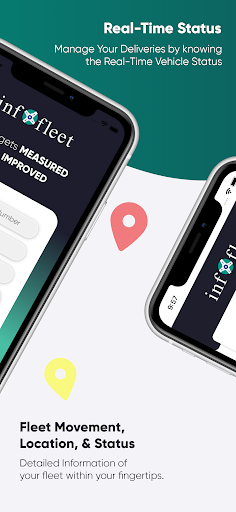


Infofleet Mobile ऐप की जानकारी
डाउनलोड स्रोत
Device Configuration
स्प्लिट एपीके (Split APK) स्थापना गाइड
कुछ ऐप्स स्प्लिट एपीके (एक साथ पैक की गई कई .apk फाइलें) के रूप में वितरित किए जाते हैं। मानक एंड्रॉइड इंस्टॉलर उन्हें खोल नहीं सकते हैं।
Infofleet Mobile में नया क्या है
General Improvements and Fixes
Infofleet Mobile के बारे में
The app allows you to GPS track your vehicles with an easy-to- use interface. You can monitor your vehicles and assets right from your mobile. The Infofleet app is designed and developed by Informap that serves over 1000+ companies in the UAE.
FUNCTIONALITY OF INFOFLEET APP
Dashboard: Shows current operational status of the fleet.
Real time tracking (Map & Table View)
Infofleet gives the option to switch between table view and map view. Table view is better to have a list view of all the vehicles, their operation status and the speed.
Current status of vehicle; There are three modes based on Engine status:
Moving – Engine ON and Speed > 5
Idle – Engine ON and speed < 5
Parking - Engine is OFF
Search by vehicle plate number: You can search by vehicle ID, vehicle make or vehicle model
Search by driver name: Allows searching by driver ID
Vehicle Info: Tap on this to see the Speed, Distance travelled, Location detail of the vehicle
Odometer reading: This gives the snapshot of the odometer
Vehicle & driver details: Tap on the map on the vehicle icon to get the details.
Call drivers directly from app: This is very handy function to call the driver directly
History (Map & Table): You can generate the history for the given period and view it on the map as well as table
History playback: Once you have generated the history, you can use this function to simulate the path taken by the driver.
Alerts: The app gives you the following alert:
Over speed, Excessive Idle, Moonlighting, Registration expiry, Insurance expiry, Oil service expiry, etc..
Generate Reports: Infofleet app allows you to generate the following reports:
Activity report, Daily summary report, Trip report, Cumulative distance report, Asset logbook report, Fuel report. These reports are generated and send to you in the email.
Infofleet app contains functionality that are mostly used. Please log into the web version www.infofleet.com if you would like more detailed reports. For support, please e-mail [email protected].
Infofleet Mobile एपीके कैसे डाउनलोड करें
- APK Downloader पर पैकेज नाम
com.noms.infofleetदर्ज करें। - अपने डिवाइस आर्किटेक्चर का चयन करें (आधुनिक उपकरणों के लिए ARM64 अनुशंसित है)।
- मर्ज की गई एपीके फ़ाइल प्राप्त करने के लिए डाउनलोड पर क्लिक करें।
- एपीके को अपने एंड्रॉइड डिवाइस पर ट्रांसफर और इंस्टॉल करें।
- अपडेट रहें: अपने पसंदीदा ऐप्स के नवीनतम सुरक्षित संस्करणों को खोजने और डाउनलोड करने के लिए नियमित रूप से APKDER.COM पर जाएं।
अक्सर पूछे जाने वाले प्रश्न
हाँ! APKDER द्वारा प्रदान किया गया प्रत्येक एपीके (APK) डाउनलोड कठोर सुरक्षा सत्यापन से गुजरता है। हम सत्यापित करते हैं कि एपीके फ़ाइल का क्रिप्टोग्राफ़िक हस्ताक्षर डेवलपर के आधिकारिक हस्ताक्षर से मेल खाता है, जिससे यह सुनिश्चित होता है कि एपीके मूल, अछूता और किसी भी संशोधन से मुक्त है।
इसे इंस्टॉल करने के लिए, आपको सबसे पहले अपने Android डिवाइस की सुरक्षा सेटिंग्स में "अज्ञात स्रोत" को सक्षम करना होगा। APKDER से APK फ़ाइल डाउनलोड करने के बाद, इंस्टॉल करना शुरू करने के लिए उस पर टैप करें और स्क्रीन पर दिए गए निर्देशों का पालन करें।
हाँ! जैसे ही डेवलपर Infofleet Mobile का नया संस्करण जारी करता है, हम अपडेट किए गए APK को APKDER पर पोस्ट कर देंगे। आप अपने ऐप डेटा को खोए बिना मौजूदा इंस्टॉलेशन पर नया APK डाउनलोड और इंस्टॉल कर सकते हैं।
हाँ। APKDER आपको भौगोलिक प्रतिबंधों को दरकिनार करने और सीधे आधिकारिक एपीके फाइलें डाउनलोड करने की अनुमति देता है, भले ही ऐप या गेम आपके देश के स्टोर में आधिकारिक रूप से उपलब्ध न हो।
एक मानक एपीके एक एकल इंस्टॉलेशन पैकेज है। एक XAPK या स्प्लिट एपीके में कई संसाधन फाइलें एक साथ पैक की जाती हैं। उन्हें इंस्टॉल करने के लिए, आप अलग-अलग स्प्लिट्स डाउनलोड कर सकते हैं या स्प्लिट एपीके इंस्टॉलर (SAI) जैसे टूल्स का उपयोग कर सकते हैं।
सुरक्षा और हस्ताक्षर सत्यापन
यह APK डाउनलोड 100% सुरक्षित है। हम सत्यापित करते हैं कि फ़ाइल का क्रिप्टोग्राफ़िक हस्ताक्षर आधिकारिक डेवलपर क्रेडेंशियल से मेल खाता है। कोई संशोधन या एडवेयर नहीं हैं।


