



डाउनलोड स्रोत
Device Configuration
स्प्लिट एपीके (Split APK) स्थापना गाइड
कुछ ऐप्स स्प्लिट एपीके (एक साथ पैक की गई कई .apk फाइलें) के रूप में वितरित किए जाते हैं। मानक एंड्रॉइड इंस्टॉलर उन्हें खोल नहीं सकते हैं।
नया क्या है
Small save file fix
इस ऐप के बारे में
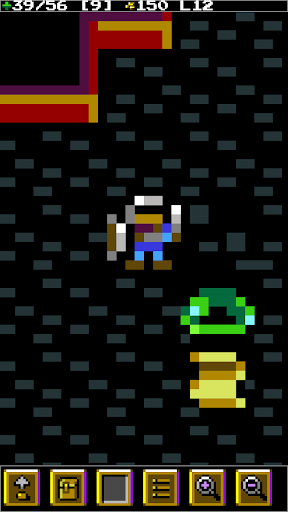
Do you love roguelikes but think they're just too hard? This one is for you! With a streamlined interface made for touchscreens, randomhack is a great experience you can pull out any time for a quick game.
* Uncover the mysteries of the world from scrolls you'll find - The wisdom contained in the scrolls you uncover will be permanently unlocked even if you die.
* Quit at any time and continue where you left off. You will only need to start over if you die.
* Easy and Normal modes - Choose between Easy Mode with full visibility, or Normal Mode with 'Line of Sight' and 'Fog of War'.
* Configure zoom and text size to perfectly fit your screen
This is the lite version, limited to the first 16 floors. In the full version you'll get:
* 10 weapons, 20 items, 30 enemies, 50 floors and a Boss!
randomhack lite एपीके कैसे डाउनलोड करें
- APK Downloader पर पैकेज नाम
se.remar.rhacklite.androidदर्ज करें। - अपने डिवाइस आर्किटेक्चर का चयन करें (आधुनिक उपकरणों के लिए ARM64 अनुशंसित है)।
- मर्ज की गई एपीके फ़ाइल प्राप्त करने के लिए डाउनलोड पर क्लिक करें।
- एपीके को अपने एंड्रॉइड डिवाइस पर ट्रांसफर और इंस्टॉल करें।
- अपडेट रहें: अपने पसंदीदा ऐप्स के नवीनतम सुरक्षित संस्करणों को खोजने और डाउनलोड करने के लिए नियमित रूप से APKDER.COM पर जाएं।
सुरक्षा और हस्ताक्षर सत्यापन
यह APK डाउनलोड 100% सुरक्षित है। हम सत्यापित करते हैं कि फ़ाइल का क्रिप्टोग्राफ़िक हस्ताक्षर आधिकारिक डेवलपर क्रेडेंशियल से मेल खाता है। कोई संशोधन या एडवेयर नहीं हैं।


