


Источники загрузки
Device Configuration
Руководство по установке Split APK
Некоторые приложения распространяются в виде Split APK (несколько упакованных вместе файлов .apk) для оптимизации ресурсов. Стандартные установщики Android не могут их открыть.
Что нового
What's new in 1.1.7
• Unlimited folders and expiry reminders on the free plan
• New: AI Spending Assistant for Pro — smart insights and trends
• Cleaner upgrade screen focused on the features that matter most
• Free plan now includes 15 documents; upgrade to Pro for unlimited
• Stability and polish improvements
О приложении
Slipwise is the private, fast way to capture and organize paper receipts and documents. Everything happens on your device — no accounts, no ads, no tracking, and no cloud upload unless you choose it.
KEY FEATURES
• Instant scan — Point your camera and Slipwise grabs the receipt with automatic edge detection and perspective correction.
• On-device OCR — Text recognition runs entirely on your phone. Vendor, date, and total are extracted locally and never sent to a server.
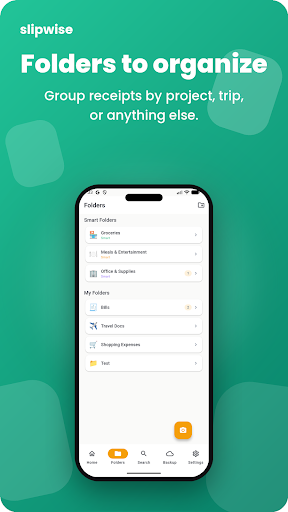
• Smart organization — Auto-tag receipts by vendor, date, or custom category. Powerful search finds any receipt in seconds.
• Multiple formats — Import existing photos (JPEG/PNG) or save as PDF for clean archival.
• PDF export — Export a single receipt or merge multiple receipts into one PDF with just the image content — no metadata, no headers, no clutter.
• Encrypted backup — Optional AES-256-GCM encrypted backup to your personal Google Drive. Your passphrase never leaves your device and Slipwise never sees plaintext data.
• Full-resolution originals — Original images are preserved at full quality, never downscaled for storage.
• Quick edit — Rename, re-categorize, or adjust extracted fields with a single tap.
• Light & dark themes — Comfortable viewing in any lighting.
BUILT FOR PRIVACY
Slipwise does not collect, share, or transmit any of your data. All OCR, categorization, and search run locally on your device. Cloud backup is 100% opt-in, encrypted end-to-end, and stored in your own Drive account. There are no third-party analytics, no advertising SDKs, and no trackers.
PERFECT FOR
• Freelancers and contractors tracking tax-deductible expenses
• Small business owners keeping receipts organized for bookkeeping
• Travelers who need to reimburse business trips
• House bills, receipts, documents to store safley and find the in seconds
• Anyone tired of shoeboxes full of faded thermal paper
No subscriptions. No hidden fees. One price, yours forever.
Got feedback? Email [email protected] — we read every message.
Как скачать APK Slipwise
- Введите имя пакета
com.slipwise.receipt_vaultна APK Downloader. - Выберите архитектуру вашего устройства (для современных устройств рекомендуется ARM64).
- Нажмите Скачать, чтобы получить объединенный файл APK.
- Перенесите и установите APK на свое устройство Android.
- Следите за обновлениями: Регулярно посещайте APKDER.COM, чтобы искать и скачивать последние безопасные версии ваших любимых приложений.
Безопасность и проверка подписи
Эта загрузка APK на 100% безопасна. Мы проверяем соответствие цифровой подписи файла официальным ключам разработчика. Изменения и реклама отсутствуют.


