



Download Sources
Device Configuration
Split APKs Installation Guide
Some apps are distributed as Split APKs (multiple .apk files packaged together) to optimize resources. Standard Android installers cannot open them.
What's New
- Optimization and stability improvements for better experience
About This App
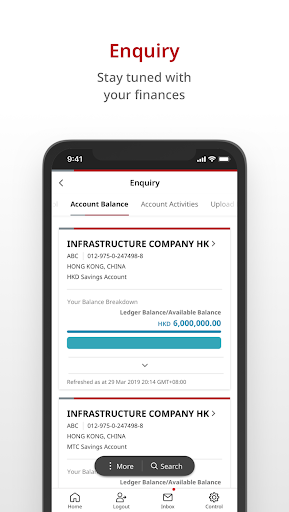
The new BOCHK iGTB MOBILE is a convenient application to bring you a brand-new experience to manage your accounts anytime, anywhere.
Brand New Look
- Best in class Corporate banking experience with personalised homepage
Faster, Easier way to pay
- A simple way to make local and international payments with your handheld devices
Quick and Easy Authorisation
- Track / authorize your transactions anytime, anywhere
Mobile Token
- Enable you to easily authenticate your login and financial transactions on iGTB NET and iGTB CONNECT Transactions with your handheld devices. Mobile token may be used in parallel with your hard token.
If you are our Corporate Online Banking iGTB NET customer, your Primary User may enable the access for you to login to enjoy the iGTB MOBILE services by using the User ID and password of your Corporate Online Banking Account. If you have not registered our Corporate Online Banking Services, please contact the relationship manager or visit any of our branches for registration.
To protect your online transactions, please read the Bank's Security Information (including the precautions of using mobile applications: The Bank's website igtb.bochk.com > "Knowledge Centre" > Terms and Conditions For Corporate Electronic and Online Services).
User Reviews

Rubbish app and not user friendly. Unable to assess overseas and hang always

Absolute joke to switch from CBS to IGTB, CBS was easy to use and user friendly, while IGTB is completely rubbish, both online and app, need to spend long time to search and navigate to perform just a simple task, wake up BOCHK management

Mobile token is very useful function! I don't need to bring physical one with me from time to time, better exprrience than beforw.

it is slow and, like everything else with their IT products, has extremely stupid GUI. A disgrace to showcase the nation's premium bank
How to Download BOCHK iGTB MOBILE APK
- Enter the package name
com.bochk.igtbon the APK Downloader. - Select your device architecture (ARM64 recommended for modern devices).
- Click Download to get the merged APK file.
- Transfer and install the APK on your Android device.
- Keep Updated: Visit APKDER.COM regularly to search for and download the latest secure versions of your favorite apps.
Security & Signature Verification
This APK download is 100% safe. We verify that the cryptographic signature of the file matches the official developer credentials. No modifications or adware are injected.


