
WiiM Home APK Screenshots


WiiM Home App Information
Download Sources
Device Configuration
Split APKs Installation Guide
Some apps are distributed as Split APKs (multiple .apk files packaged together) to optimize resources. Standard Android installers cannot open them.
What's New in WiiM Home
Bug Fixes
1. Now Playing: Fixed a playback status refresh issue for Line-In or HDMI inputs.
About WiiM Home
The WiiM Home app unifies your music and device settings in one place, enabling effortless control of your WiiM devices and enhancing your overall listening experience.
EASILY ACCESS TO YOUR FAVORITE MUSIC
The Favorite tab offers quick access to all your music and controls. Instantly revisit your top tracks, save your favorite stations and playlists, explore new artists, and enjoy rich, immersive sound throughout your home.
SIMPLIFIED STREAMING
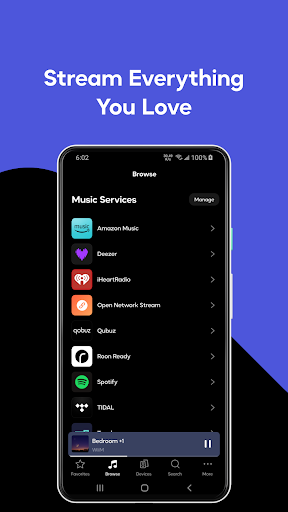
Easily browse, search, and play content from all your preferred music services with a single app, whether it's Spotify, TIDAL, Amazon Music, Pandora, Deezer, Qobuz, or others.
MULTI-ROOM AUDIO CONTROL
Whether you want different music in every room or to synchronize your entire home to the same song, the WiiM Home app gives you full control over your WiiM devices and your music from anywhere.
EASY SETUP
The app automatically detects your WiiM devices, simplifying setting up stereo pairs, creating a surround sound system, and adding devices to additional rooms with just a few taps.
CUSTOMIZED LISTENING EXPERIENCE
Fine-tune your audio with built-in EQ adjustments and Room Correction to match your preferences and environment perfectly.
User Reviews

I HATE this thing. I have MAJOR buyer's remorse! When trying to play from USB port, it has a scroll position loss bug (for ONE thing). Click on artist albums, come back out, your place is lost. Also, albums displayed in no particular order, not alphabetically, not chronologically, just a totally random mess. And why is output choice not displayed with input choice where it'd be easy to find?!! Sure glad I didn't buy TWO of these disasters for multi-room play, as I had originally planned.

5/26 Update - NOT a WiiMN issue! - it was my system.---TY Cust. Service --- N O T H I N G easy or intuitive about the set-up. If you're not a gear head, get ready to look for help 🤬 UPDATE - changed the RCA cables from the "NORMAL IN" slots to "PHONO IN" - it worked!!! - now it won't connect to Bluetooth speakers. I think I received a defective unit! 5/25 - "Phono In" didn't fix it - RCA Cables OUT from my tuner into WiiM Ultra "IN", but not showing it is getting a signal.

Better performance than Sonos by a long shot, but the lack of real stereo pairs support for WiiM Sound and system grouping in Qobuz Connect support leaves much to be desired. I don't ever want a WiiM Sound stereo pair to show up as separates, but they do as soon as you group them with anything else. And all of the constituent components show up in Qobuz, not the group as a whole. so much promise, so little usability and polish. Oh, I hope Spotify is paying you a lot to be the default service 🤮

I've been using a Wiim Pro for the past couple years, and it's been mostly good. great audio quality and features, but connectivity is beyond bad. Recently, it went from mostly bad to completely unusable, and I'm unable to connect to my Wiim (even after following all the troubleshooting steps, including a factory reset and attempting setup with multiple devices, restarting router, different wifi networks, etc etc). I CAN still play music by connecting directly via BT to the device, but that's it
How to Download WiiM Home APK
- Enter the package name
com.linkplay.wiimhomeon the APK Downloader. - Select your device architecture (ARM64 recommended for modern devices).
- Click Download to get the merged APK file.
- Transfer and install the APK on your Android device.
- Keep Updated: Visit APKDER.COM regularly to search for and download the latest secure versions of your favorite apps.
Frequently Asked Questions
Yes! Every APK download provided by APKDER undergoes rigorous security verification. We verify that the cryptographic signature of the APK file matches the official signature from the developer, ensuring the APK is original, untouched, and free from any modifications.
To install it, you first need to enable "Unknown Sources" in your Android device's security settings. After downloading the APK file from APKDER, tap it to begin the installation and follow the on-screen prompts.
Yes! As soon as the developer releases a new version of WiiM Home, we will update and provide the updated APK on APKDER. You can simply download and install the new APK over the existing installation without losing your app data.
Yes. APKDER allows you to bypass geographic restrictions and download official APK files directly, even if the app or game is not officially available in your country's store.
A standard APK is a single installation package. An XAPK or Split APK contains multiple resource files (like OBB expansions or device-specific layout parts) packaged together. To install them, you can download splits individually or use dynamic helper tools like Split APKs Installer (SAI).
Security & Signature Verification
This APK download is 100% safe. We verify that the cryptographic signature of the file matches the official developer credentials. No modifications or adware are injected.


