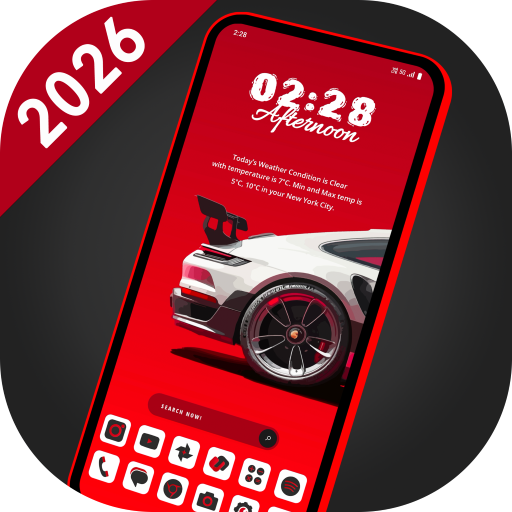
Circuit UI Launcher - AppLock APK Screenshots


App Information
Download Sources
Device Configuration
Split APKs Installation Guide
Some apps are distributed as Split APKs (multiple .apk files packaged together) to optimize resources. Standard Android installers cannot open them.
What's New
Performance improvement and bug fixes.
About This App
Welcome to Circuit UI Launcher, your gateway to a seamless and stylish Android experience. Unlock the power of AppLock, HideApp, Hitech Wallpaper, Folders, and Themes - all in one incredible package. With its futuristic UI, customizable themes, and powerful features, Circuit UI Launcher is the perfect way to make your Android phone feel like a brand new device. This is a perfect user interface design which gives user to easy and better interactive control experience. It provides more wonderful and useful features and any color themes which enhance your phone with different styles.
Features:
🌄 Dynamic Wallpapers:
Dive into the world of dynamic hi-tech wallpapers that adapt to your chosen theme. Adjust color transparency to your preference and even use images from your personal gallery to personalize your home screen.
⏰ Widget:
Explore a comprehensive collection of widgets, including Clock, Weather, Memory Analyzer, Music Player, Calendar, Map, and Battery Widgets. All the essential information is right at your fingertips.
🔒 AppLock:
Secure your apps with ease using our built-in AppLock feature. No need for additional apps - for App lock feature.
🙈 HideApps:
Keep your sensitive apps discreet with our fingerprint hide app feature. Effortlessly conceal apps from your main app list for enhanced privacy.
🎨 Icon Pack Delight:
Indulge in our Icon Pack features, including an exclusive white icon pack that adapts to your chosen color. Plus, enjoy compatibility with third-party icon packs for even more personalization.
🎨 Theme Color Selection:
Immerse yourself in a world of color with millions of theme color options. Watch as your entire launcher transforms to exude a futuristic hitech vibe.
⌨️ Futuristic Keyboard:
Choose from over 50 hi-tech keyboards that offer a futuristic typing experience within the launcher.
✋ Gesture Controls:
Master your device's navigation with intuitive gestures. Swipe, tap, and double-tap to execute various operations effortlessly.
📂 Organize with Folders:
Effortlessly manage your apps using our intuitive folder feature. Convert icons into folders and vice versa by simply long-pressing on them.
🎨 Personalize Your Device:
Transform your device by personalizing it to the fullest. Long-press to modify apps and create a truly tailored experience.
Download Circuit UI Launcher today and experience the future of Android launchers!
User Reviews

This is the absolute best, most awesome launcher! I had the high circuit for the longest time and this launcher is a full upgrade with more folder options, more functions, and more awesomeness. I've tried so many and I will never go back to any Android launcher other than Circuit ones. No ads.

Especially the amazing depth of field on the BLU mobile display. Super cool 😎👍👍. Great Work! Wow factor. 🌍😁 Thank you.

Seriously one of the best app to make a phone look cool but the continuous lagging is getting frustrating best see what u can do about it pls 😊

Wow this circuit UI launcher is so Good I love ❤️ the launcher I give it 5 stars 🌟🌟🌟🌟🌟 hello guys make sure you download it, so fast simple and sweet.
How to Download Circuit UI Launcher - AppLock APK
- Enter the package name
com.lw.circuituilauncheron the APK Downloader. - Select your device architecture (ARM64 recommended for modern devices).
- Click Download to get the merged APK file.
- Transfer and install the APK on your Android device.
- Keep Updated: Visit APKDER.COM regularly to search for and download the latest secure versions of your favorite apps.
Frequently Asked Questions
Yes! Every APK download provided by APKDER undergoes rigorous security verification. We verify that the cryptographic signature of the APK file matches the official signature from the developer, ensuring the APK is original, untouched, and free from any modifications.
To install it, you first need to enable "Unknown Sources" in your Android device's security settings. After downloading the APK file from APKDER, tap it to begin the installation and follow the on-screen prompts.
Yes! As soon as the developer releases a new version of Circuit UI Launcher - AppLock, we will update and provide the updated APK on APKDER. You can simply download and install the new APK over the existing installation without losing your app data.
Yes. APKDER allows you to bypass geographic restrictions and download official APK files directly, even if the app or game is not officially available in your country's store.
A standard APK is a single installation package. An XAPK or Split APK contains multiple resource files (like OBB expansions or device-specific layout parts) packaged together. To install them, you can download splits individually or use dynamic helper tools like Split APKs Installer (SAI).
Security & Signature Verification
This APK download is 100% safe. We verify that the cryptographic signature of the file matches the official developer credentials. No modifications or adware are injected.