Download Sources
Device Configuration
Split APKs Installation Guide
Some apps are distributed as Split APKs (multiple .apk files packaged together) to optimize resources. Standard Android installers cannot open them.
What's New
Bug fixed.
About This App
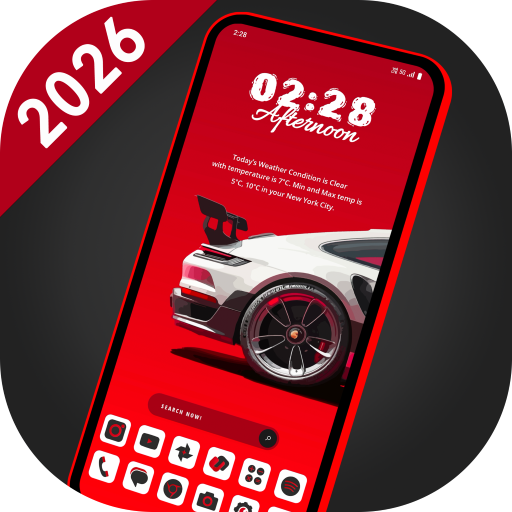
Welcome to Innovative Launcher, your gateway to a seamless and stylish Android experience. Unlock the power of AppLock, HideApp, Hitech Wallpaper, Folders, and Themes - all in one incredible package. With its futuristic UI, customizable themes, and powerful features, Innovative Launcher is the perfect way to make your Android phone feel like a brand new device. This is a perfect user interface design which gives user to easy and better interactive control experience. It provides more wonderful and useful features and any color themes which enhance your phone with different styles.
Features:
🌄 Dynamic Wallpapers:
Dive into the world of dynamic hi-tech wallpapers that adapt to your chosen theme. Adjust color transparency to your preference and even use images from your personal gallery to personalize your home screen.
⏰ Widget:
Explore a comprehensive collection of widgets, including Clock, Weather, Memory Analyzer, Music Player, Calendar, Map, and Battery Widgets. All the essential information is right at your fingertips.
🔒 AppLock:
Secure your apps with ease using our built-in AppLock feature. No need for additional apps - for App lock feature.
🙈 HideApps:
Keep your sensitive apps discreet with our fingerprint hide app feature. Effortlessly conceal apps from your main app list for enhanced privacy.
🎨 Icon Pack Delight:
Indulge in our Icon Pack features, including an exclusive white icon pack that adapts to your chosen color. Plus, enjoy compatibility with third-party icon packs for even more personalization.
🎨 Theme Color Selection:
Immerse yourself in a world of color with millions of theme color options. Watch as your entire launcher transforms to exude a futuristic hitech vibe.
⌨️ Futuristic Keyboard:
Choose from over 50 hi-tech keyboards that offer a futuristic typing experience within the launcher.
✋ Gesture Controls:
Master your device's navigation with intuitive gestures. Swipe, tap, and double-tap to execute various operations effortlessly.
📂 Organize with Folders:
Effortlessly manage your apps using our intuitive folder feature. Convert icons into folders and vice versa by simply long-pressing on them.
🎨 Personalize Your Device:
Transform your device by personalizing it to the fullest. Long-press to modify apps and create a truly tailored experience.
Download Innovative Launcher today and experience the future of Android launchers!
User Reviews

like the look. it is a little heavy on my phone. can't change the music app that is default to home screen even though it has the option, it just doesn't switch within the apps programming code. i use Pandora and even though it says it changed, it doesn't. also it only has one screen and limited apps can be saved to that launcher. would give 5 if updates resolved these issues

I've tried many launchers, and never have I been so quick to uninstall one... I'd guess about 3 seconds, enough to look and think, nope! In my opinion, it's one of the ugliest home screens I've ever seen, and it's nothing but organised chaos. Next! #Launcher #HomeScreen #Uninstall #Apps #Technology #Design #Fail
You have a nice futuristic launchers and they are all somehow alike or the same but at least the interface is a bit different from each other. Thats cool. The only problem i have in all these launchers you have is that you have two options in going thru the apps. Im talking about the app drawer. One option is the icon itself in the homescreen while the other one is thru sliding left or right. Pls do something about this. Its either, you put an option to change the app drawer icon to any other ap
Laggy af, cool graphics but not quite pleasant to the eye for longer use. Player is alright, but i experienced couple of glitches along the way. Cool is cool, but i wouldnt recomend it.
How to Download Innovative Launcher - AppLock APK
- Enter the package name
com.lw.innovativelauncheron the APK Downloader. - Select your device architecture (ARM64 recommended for modern devices).
- Click Download to get the merged APK file.
- Transfer and install the APK on your Android device.
- Keep Updated: Visit APKDER.COM regularly to search for and download the latest secure versions of your favorite apps.
Security & Signature Verification
This APK download is 100% safe. We verify that the cryptographic signature of the file matches the official developer credentials. No modifications or adware are injected.