


Download Sources
Device Configuration
Split APKs Installation Guide
Some apps are distributed as Split APKs (multiple .apk files packaged together) to optimize resources. Standard Android installers cannot open them.
What's New
Initial public release of the Speedtest Pulse app on Android
About this app
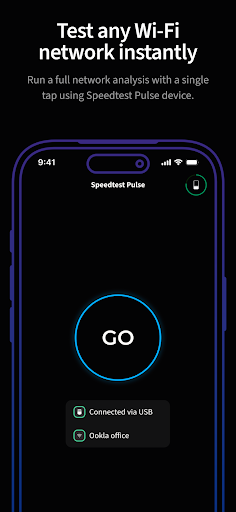
One-tap network validation and actionable Wi-Fi troubleshooting that empowers every technician.
Tired of vague "the Wi-Fi is slow" complaints and the pressure of unresolved tickets? The Speedtest Pulse™ app, paired with your Speedtest Pulse hardware, is built to make your job easier by turning complex network data into clear instructions. Validate the entire network at the time of install, and resolve troubleshooting tickets fast. Note: This is a professional tool. Speedtest Pulse™ hardware and app subscription are required to use this software.
How to Download Speedtest Pulse by Ookla APK
- Enter the package name
com.ookla.pulseappon the APK Downloader. - Select your device architecture (ARM64 recommended for modern devices).
- Click Download to get the merged APK file.
- Transfer and install the APK on your Android device.
- Keep Updated: Visit APKDER.COM regularly to search for and download the latest secure versions of your favorite apps.
Security & Signature Verification
This APK download is 100% safe. We verify that the cryptographic signature of the file matches the official developer credentials. No modifications or adware are injected.


