



Download Sources
Device Configuration
Split APKs Installation Guide
Some apps are distributed as Split APKs (multiple .apk files packaged together) to optimize resources. Standard Android installers cannot open them.
About This App
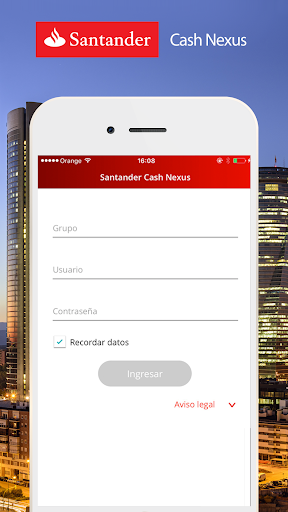
Welcome to the new Mobile Application for Santander Global Corporate Banking Account Balances .
The application is an extension of the Santander Cash Nexus Portal in wich you can access your end of day account balances using the same user credentials as for the Portal.
- You can obtain your Consolidated Global position in the currency of your choice in accordance with published exchange rates (For information purposes only).
- You can consult your total balances per country.
- You can view account balance subtotal per currency per country.
- You can obtain your account balance.
- Authorise and reject payments using your Smartphone wherever you are.
- Receive alerts and messages from Santander Cash Nexus Portal.
You can have this information at your fingertips from anywhere at anytime.
Multi-language: Spanish, English and Portugues.
Available for clients already register on Santander Cash Nexus Portal.
How to Download Santander Cash Nexus APK
- Enter the package name
com.tm.sanstpon the APK Downloader. - Select your device architecture (ARM64 recommended for modern devices).
- Click Download to get the merged APK file.
- Transfer and install the APK on your Android device.
- Keep Updated: Visit APKDER.COM regularly to search for and download the latest secure versions of your favorite apps.
Security & Signature Verification
This APK download is 100% safe. We verify that the cryptographic signature of the file matches the official developer credentials. No modifications or adware are injected.


