



Download Sources
Device Configuration
Split APKs Installation Guide
Some apps are distributed as Split APKs (multiple .apk files packaged together) to optimize resources. Standard Android installers cannot open them.
What's New
We’ve made improvements to give you a smoother and better experience.
About this app
Call Recorder & Transcriber: Elephone – Record & Transcribe Phone Calls
It’s the most reliable and transparent call recording and transcription app available. Record and transcribe your phone calls with 99% transcription accuracy, crystal-clear audio, and no hidden fees.
Real Mobile Call Recording
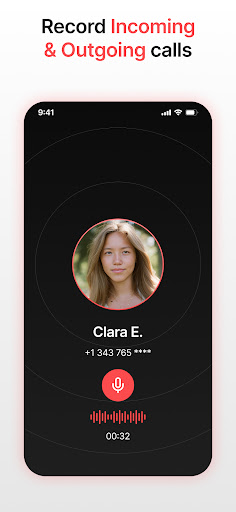
Automatically record incoming and outgoing calls made through your carrier network.
HD-quality recording with enhanced voice clarity
Works with US and UK assistant phone numbers.
No caller ID displayed to other parties
Completely secure and private
Instant Transcription with 99% Accuracy
Every call is instantly converted into text with industry-leading accuracy.
Search and review transcriptions anytime
Export as text or document
Keyword search to find key parts of your conversations
Smart Call Management
Stay organized and in control with intelligent recording tools:
Choose calls to be recorded
Search by name, number, or transcript content
Professional Audio Playback
HD audio with adjustable playback speed
Speaker or earpiece playback
Background noise reduction
Privacy & Security First
Local encrypted storage
No ads, no tracking, no data collection
100% transparency
No hidden fees
Why Choose Call Recorder & Transcriber: Elephone?
Perfect for professionals, journalists, students, or anyone who wants accurate, searchable records of their calls.
Unlike generic recording apps, we record real phone calls directly through your network and deliver instant, high-accuracy transcription you can trust.
Additional Features to Enhance Your Experience:
Import and Transcribe: Easily record incoming & outgoing calls for transcription. Elephone supports multiple formats, catering to a variety of use cases.
Export in Multiple Formats: Download your call recording transcripts in formats like PDF, DOCX, TXT, and SRT, perfect for documentation, sharing, and archiving.
Speaker Identification: Automatically tag different speakers in your recorded calls.
Key Highlights:
Record real phone calls
No caller ID or hidden costs
Local assistant numbers
99% transcription accuracy
Instant text conversion and easy search
Total privacy and encryption
Terms of Use: https://www.apple.com/legal/internet-services/itunes/dev/stdeula/
User Reviews

premium only. if your app has a price list it like that! don't advertise as free then prevent the use of any features.

to long of a process to record a call, and you have to pay $5 a week just to use the app

This app only supports a few countries. It's useless.

you have to pay for i kid you not every single feature to be able to use it. otherwise it's just a waste of space on your phone
How to Download Call Recorder & Transcription APK
- Enter the package name
com.torapp.elephoneon the APK Downloader. - Select your device architecture (ARM64 recommended for modern devices).
- Click Download to get the merged APK file.
- Transfer and install the APK on your Android device.
- Keep Updated: Visit APKDER.COM regularly to search for and download the latest secure versions of your favorite apps.
Security & Signature Verification
This APK download is 100% safe. We verify that the cryptographic signature of the file matches the official developer credentials. No modifications or adware are injected.


