



Download Sources
Device Configuration
Split APKs Installation Guide
Some apps are distributed as Split APKs (multiple .apk files packaged together) to optimize resources. Standard Android installers cannot open them.
What's New
V3.0.6
🌻modify some functions for easier browsing
🌱Fixed download function, more convenient
V3.0.5
💖Optimize browser functions, more stable
🔥Improve performance, easy to use
V3.0.3
💫Optimize UI design, better experience
🪷Modify known issues for better usability
About this app
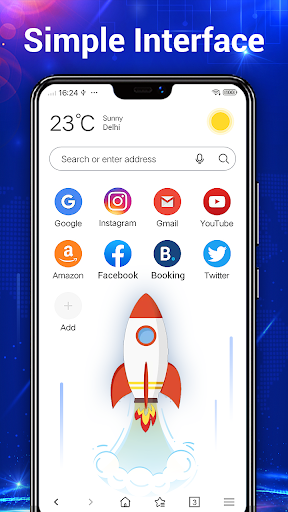
Web Browser Lite is an ultra lightweight mobile browser and web explorer which can give you rapid browsing speed and secure surfing experience.
Web Browser Lite can protect you from malicious threats and protect your privacy. One of the Most Trusted Browser for Privacy.
It designed for both Android phone and tablet.
Key Features:
- Ultra lightweight
- Web surfing speed acceleration
- Secure Browsing
- Incognito browsing. Private browse the web without saving any web surfing history.
- Homepage Speed Dial
- Personalized bookmarks
- History
- Easy save your favorite sites
- Text search
- Fast download
- Super easy copy/paste
- Small Footprint
- Full-screen mode
- Search engine switch
- Quick search: Internet, Yahoo, Bing, and other default search engines
- Supports Adobe Flash Player
- User Agent settings
- Font size adjustment
- Advanced Gesture feature
- Sharing - Super-easy and intuitive ways to share mobile contents through Facebook, Twitter, Email, SMS and other social media channels.
- Fast navigation
Free download to try this fast, safe, lightweight and smart Android Mobile Browser;
User Reviews

Live in a rural area using a straight talk phone w/Android. Browser is just as fast and as good as the more popular browsers I have tried. Takes up less space on my phone than the other's do and I only have to see an ad or two on occasion. Overall I think this browser is very good.

Great app. But you should visit ( BrowserGood. Com ) to install the best browser app. It's really nice and fast. There is one thing need update, all web box has the same figure same logo which is google may be for your app business. It is better if you update it to show the picture for the same website. Will be easy to recognize the web. For your app will look normal and professional

Terrible app everytime an Ads pops up and won't allow me to download a file, Too much bugs and if one is not smart enough you will end up wasting ur Data. When downloading a file and ur Data runs-out or a Network problem occurs, The app won't even automatically pause the download file but rather it will cancel the progress and make you to roll over and start from the beginning. This app has terrible bugs and glitches, Highly Not recommended 🚫🚫🚫🚫
Ads from the moment I opened it and don't know what is going on with Google play store apps but when I was looking through browsers there was about half a dozen browsers identical to this one in app size and the brief description summary of each other. Pretty iffy if you ask me
How to Download Web Browser - Secure Explorer APK
- Enter the package name
secure.explorer.web.browseron the APK Downloader. - Select your device architecture (ARM64 recommended for modern devices).
- Click Download to get the merged APK file.
- Transfer and install the APK on your Android device.
- Keep Updated: Visit APKDER.COM regularly to search for and download the latest secure versions of your favorite apps.
Security & Signature Verification
This APK download is 100% safe. We verify that the cryptographic signature of the file matches the official developer credentials. No modifications or adware are injected.


